Coaches get a workspace. Members get the plan.
Trainers clock in, see assigned members, and write diet plans from a dedicated portal. Clients follow those plans in the member app alongside workouts, classes, and payments.
Everything you need for trainer portal
Purpose-built trainer portal tools that connect seamlessly with every other Gymsly module.
Assigned member roster
Owners assign members to coaches. Trainers see only their clients, not the whole gym database.
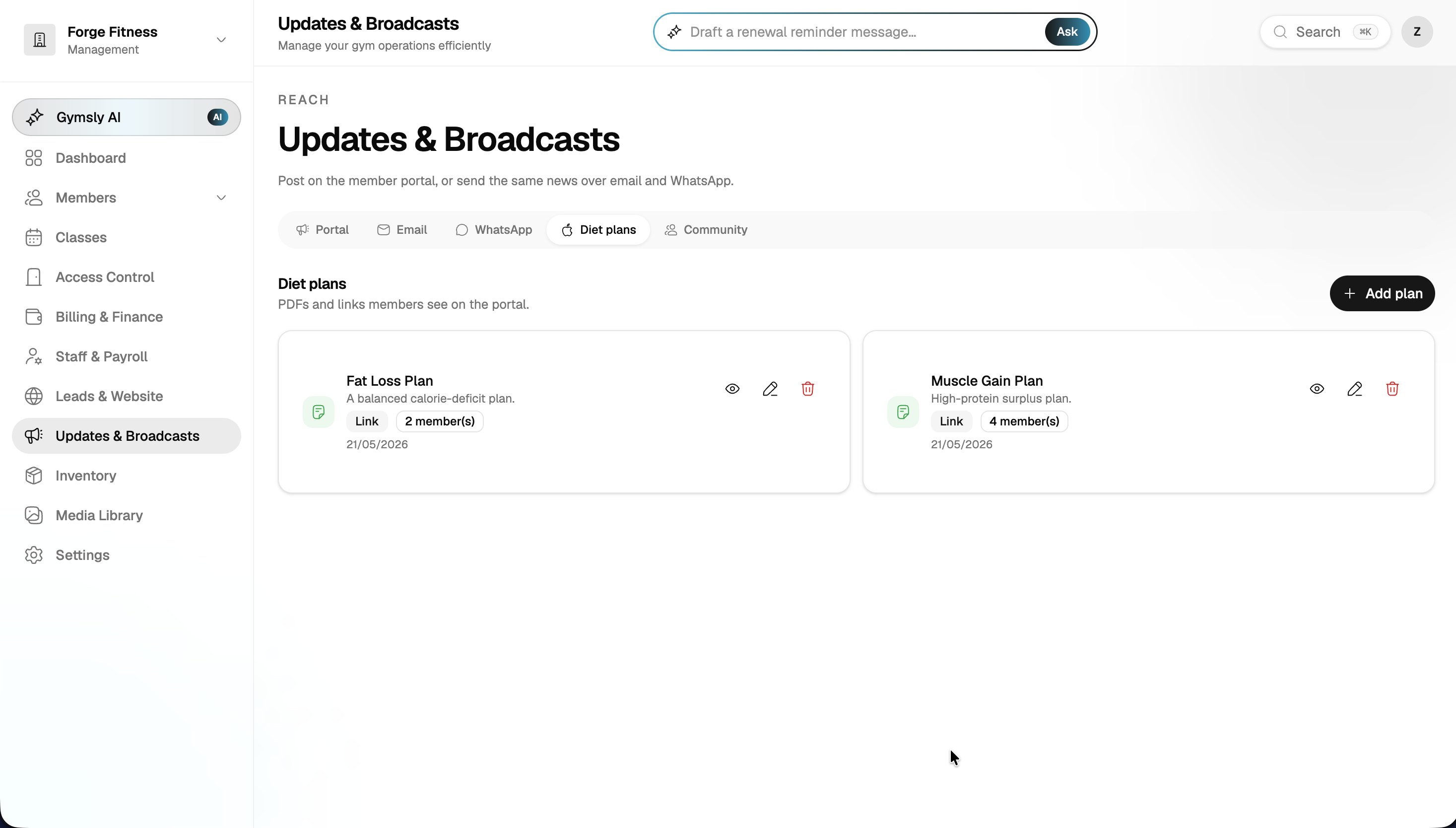
Diet plans in the member app
Create and edit meal plans. Members open them on iOS, Android, or the web portal.
Trainer clock-in
Coaches clock in and out from the trainer portal, feeding hours into staff and payroll.
Progress notes
Keep client context next to the people you coach, so sessions start informed.
Permission-safe
Trainers never need full owner access. Billing and gym settings stay with the front desk and owners.
Works with PT studios
Solo trainers and multi-coach studios use the same flow: assign, plan, deliver, get paid.
Built for gym owners who run lean
Real outcomes from gyms using Gymsly every day.
Coaches stay on the floor
Diet plans and client lists live in one portal instead of WhatsApp threads and spreadsheets.
Members follow through
Plans show up in the same app members already use for classes, invoices, and check-ins.
Owners keep control
Assignment and payroll stay in Gymsly. Trainers work inside the permissions you set.
Trainer Portal questions, answered
Common questions about Gymsly trainer portal for fitness businesses.
Connected modules
Every Gymsly module shares data, no integrations to configure.
Run your fitness business from one dashboard
Start your 14-day free trial today. No credit card, no setup fees, then a 30-day money-back guarantee.
Cancel anytime · Your data, always exportable · 30-day money-back guarantee